Mass Search
Mass Search provides two query types for large data sets: Precursor Search and MS/MS Search.
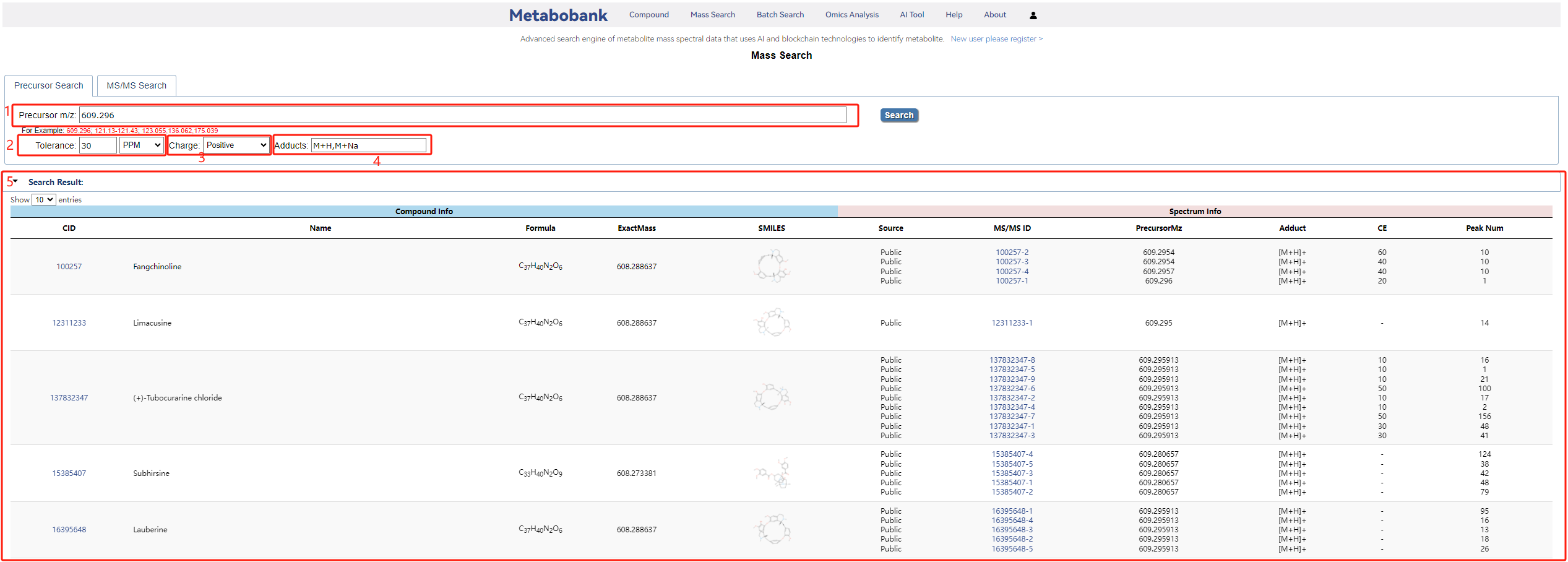
In Precursor Search, you query by the mass-to-charge ratio (m/z) of the ionized compound peak, set the mass tolerance and its unit, and specify the ion charge before clicking Search.
Combining m/z with other criteria enables accurate multi-condition queries.
For example, enter '609.296' as the precursor m/z (box 1), set the tolerance to '30 ppm' (box 2), set the charge to 'Positive' (box 3) and the adducts to 'M+H,M+Na' (box 4), and you will get the matched compounds along with their match scores and related information (box 5).
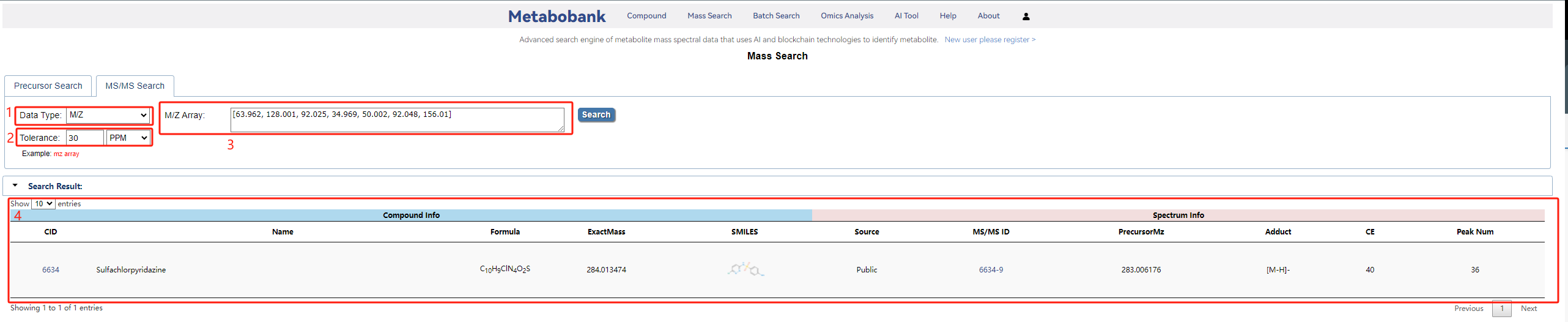
In MS/MS Search, select the data type — M/Z, M/Z & Intensity, Precursor & M/Z, or Precursor & M/Z & Intensity — then set the mass tolerance and its unit, and enter the fragment m/z values in the M/Z Array field.
For example, set Data Type to 'M/Z' (box 1) and the mass tolerance to '30 ppm' (box 2), enter the m/z values '173.059, 205.086, 217.086' (box 3), and you will get the matched compound along with its match score and related information (box 4).
Search results may also come from private libraries: such a hit is marked Private in the Source column and its details stay hidden until that spectrum is unlocked with points — see Private Spectrum.
Created with the Personal Edition of HelpNDoc: Effortlessly Spot and Fix Problems in Your Documentation with HelpNDoc's Project Analyzer