Private Spectrum
Part of the spectra on the platform come from private libraries. They take part in Mass Search exactly like public spectra, but the compound and spectral details of a hit stay hidden until that single spectrum is unlocked. Unlocking costs points, and the payment is written to the blockchain, so the data owner and the unlock event can both be verified afterwards.
The four screenshots below follow one complete case: a private MS/MS hit is found in Mass Search, unlocked for 5 points, recorded in Token Manage, and finally checked in the block explorer.
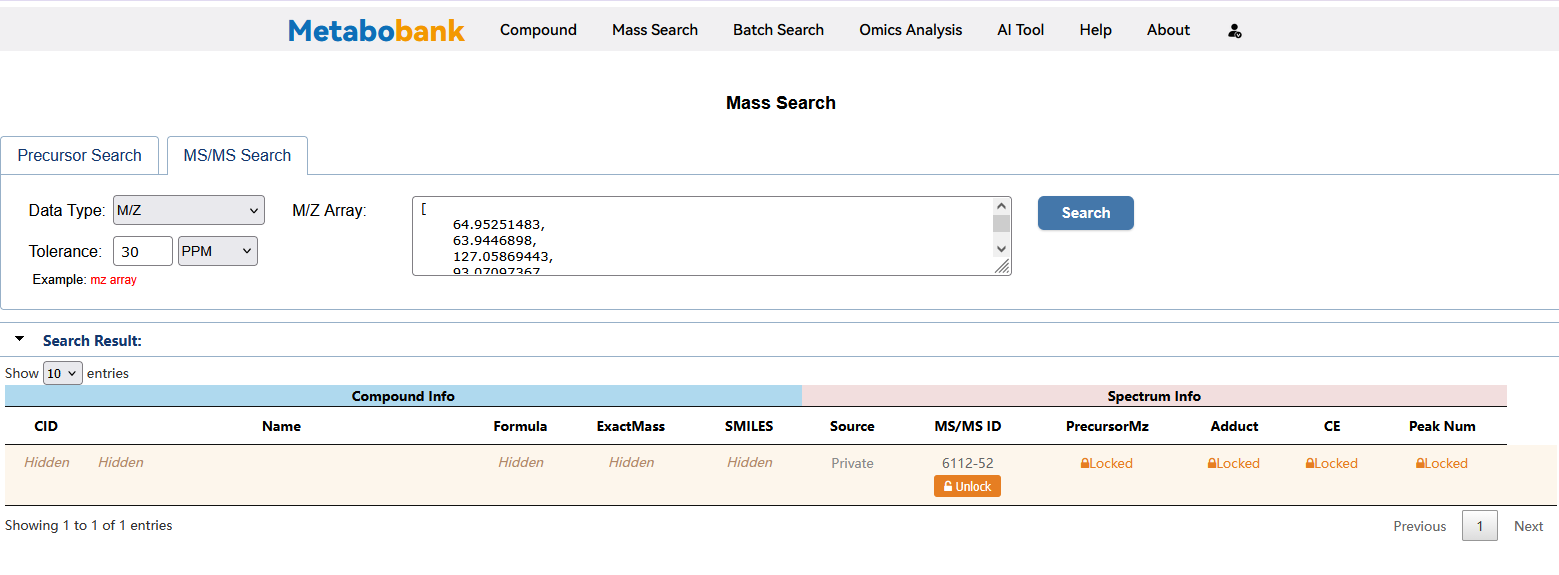
1. A private hit in the search result
Private spectra are searched like any other record: enter the M/Z Array and tolerance as described in Mass Search. In the result table the hit is marked Private in the Source column, every field under Compound Info reads Hidden, and the Spectrum Info columns stay locked behind the lock icon, with an orange Unlock button below the MS/MS ID. The MS/MS ID itself (6112-52 in this example) is always visible, so you can tell which record you are about to pay for before spending anything.
2. Check the points before you confirm
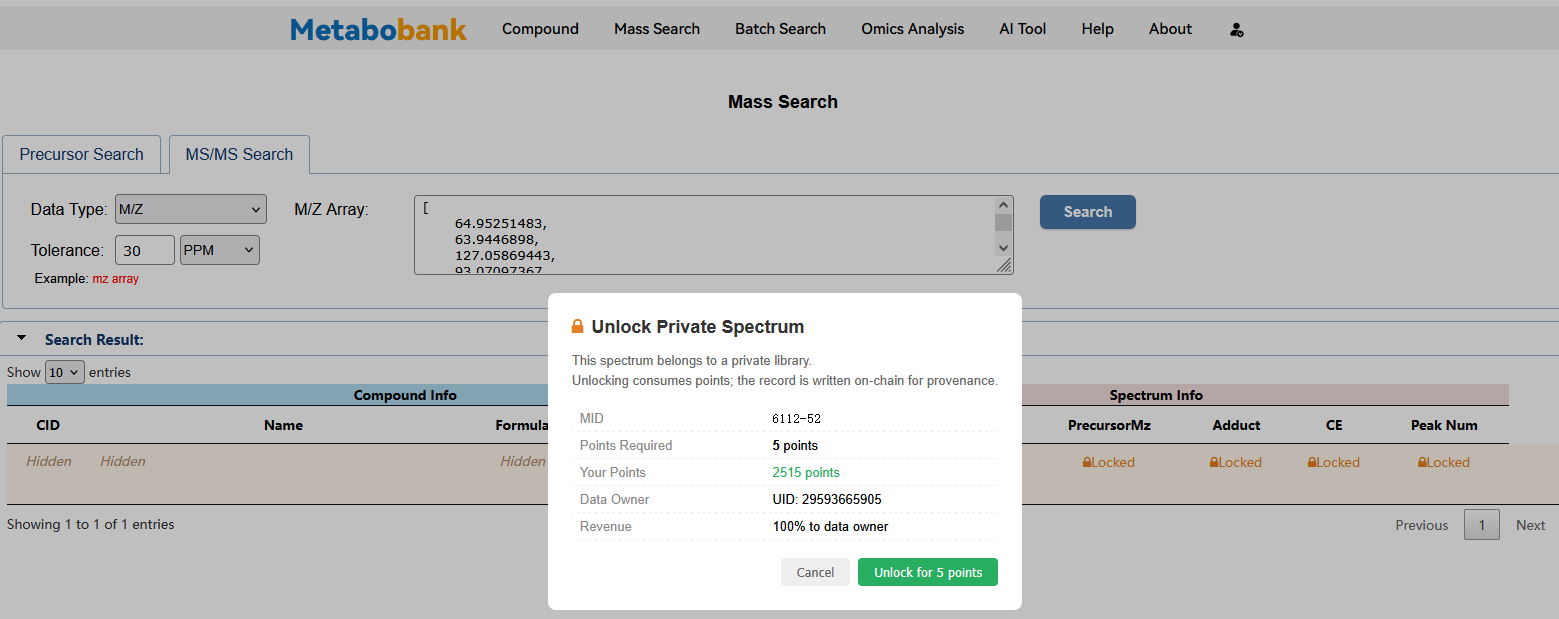
Clicking Unlock opens the Unlock Private Spectrum dialog. Everything the charge depends on is listed there:
- MID — the spectrum identifier being unlocked (6112-52 here).
- Points Required — the charge for this spectrum (5 points).
- Your Points — your balance at that moment (2,515 points here); make sure it covers the charge.
- Data Owner UID — the contributor who owns the spectrum (UID 29593665905).
- Revenue — the share of the payment that goes to the data owner (100% in this case).
Cancel closes the dialog without touching your balance; Unlock for 5 points confirms the purchase. The note at the top states the rule: unlocking consumes points, and the record is written on-chain for provenance.
3. Points are deducted in Token Manage
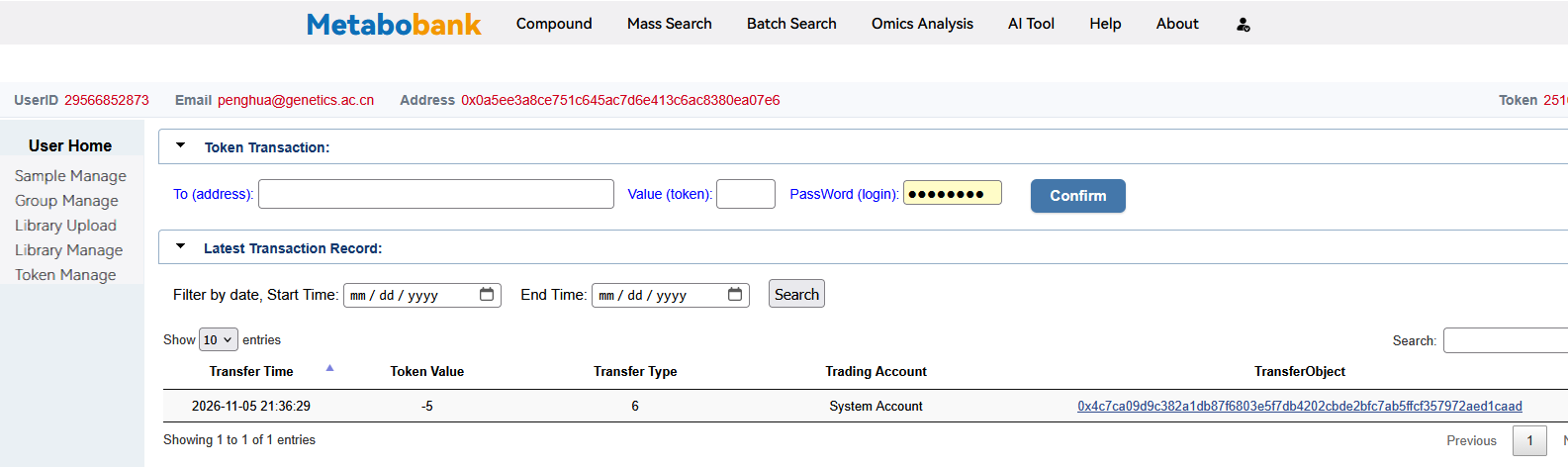
Once confirmed, open Manage → Token Manage. A new row appears at the top of Latest Transaction Record, and the Token balance in the page header drops by the same amount (2,515 → 2,510). The columns read as follows:
- Token Value -5 — the points spent; a negative value means an outgoing payment.
- Transfer Type 6 — the type recorded for a private-spectrum unlock.
- Trading Account System Account — the charge is settled by the platform's system account, not from user to user.
- TransferObject — the hash of the on-chain transaction that carries this record.
The Token Transaction form above the table is used for ordinary point transfers between users and is not needed for an unlock.
4. Verify the payment on chain
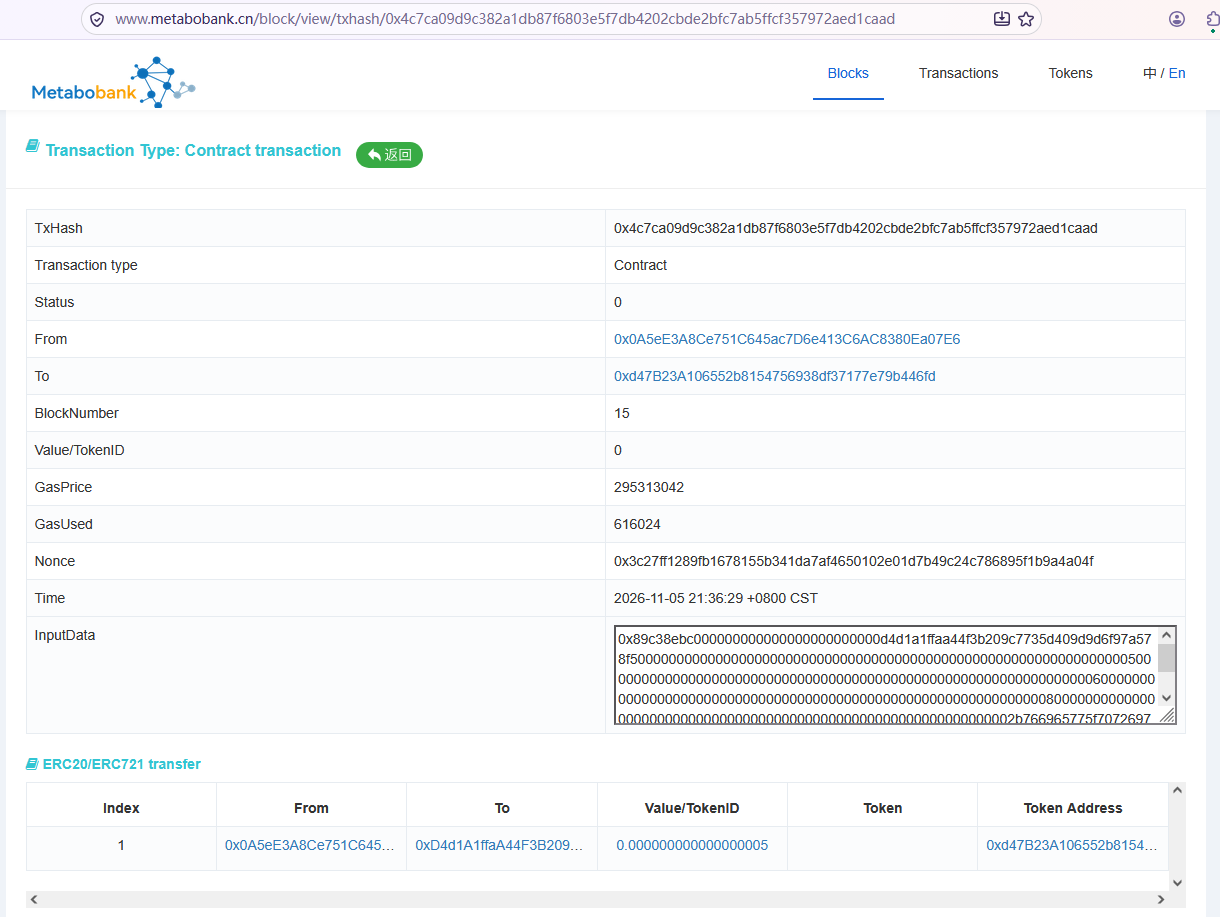
Click that hash to open it in the block explorer (metabobank.cn/block/view/txhash/…). The page reports a Contract transaction, which is what an unlock looks like once it has been mined:
- From — your own account address; To — the token contract that handles the points.
- BlockNumber, Time and GasUsed — when and in which block the unlock was executed.
- InputData — the parameters of the unlock call, including the spectrum MID and the points.
- ERC20/ERC721 transfer — the row below shows index 1, Value/TokenID 5, credited to the data owner's address, i.e. the 5 points actually paid out.
Because the transaction lives on chain, neither the owner's revenue nor your payment can be altered afterwards, and both remain auditable at any time.
Points and tokens are the same unit: 5 points means 5 tokens.
Each private spectrum carries its own Points Required; the dialog always shows the exact cost before you confirm, so read it rather than assume a fixed price.
Points are earned by sharing spectra and registering libraries — see Library Manage — and every income and expense can be followed in Token Manage.
If Your Points is lower than Points Required, do not confirm; earn more points first.
See also: Mass Search · Token Manage · Library Manage